How to start: 6 quick steps
- Open the Worlds tab and travel to Sandbox, the world marked Popular.
- Crash into the machines and ramps and watch the Crash Score panel add up the damage.
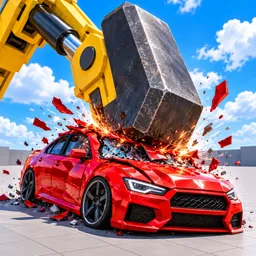
- Pull the E trigger on a machine such as the Teeth Crusher for a big payout.
- Collect the cash bonus when you level up.
- Open the Cars tab and compare what each car pays per crash before you buy.
- Press R to reset the car and F to get back in.
On this page · 10 sections
Tap a step to tick it off. Your ticks stay in this browser.
Your progress 0 / 8
Step 1 · Menu · 0:49
Open the Worlds tab
On screen: Worlds
- The Worlds screen lists Sandbox (marked Popular), Highway, Cops & Robbers, Neighbourhood, Mega Ramp, Drag Strip, Skate Ramp, Stunt Obby, Dunes and Drift Park. A Places · 12 button sits under Travel.
- Sandbox is described on its card as machines, ramps, pits, the race track and the Sky Loop.
New worlds are tagged NEW on their card in the footage (Highway, Cops & Robbers, Drift Park).
Step 2 · Sandbox · 1:48
Hit the machines in Sandbox
On screen: Wrecking balls and crushers
- Sandbox has yellow gantries with swinging wrecking balls. The player drives a red SUV into them and gets +$ pop-ups for each hit.
- The top bar shows Slow-Mo and Camera. The speedometer reads in km/h.
Step 3 · Cars tab · 2:49
Compare cars before you buy
On screen: Cars
- The Cars tab has filters: All, My Cars, Street, Sport, Luxury, Trucks, Super and Bikes (49 cars in total in the video).
- Each car card shows Pays up to a crash, Price and what you have left after buying. The Enforcer police car shows $11,250 per crash for $65,000.
Step 4 · Crash · 3:46
Read the Crash Score
On screen: Crash Score
- After a crash the Crash Score panel opens at the top right and a +$ number pops up for each part, for example Front right door dented +$45.
- Bigger hits stack more lines. The total is added to your cash.
Step 5 · Sandbox · 4:49
Pull the trigger on the Teeth Crusher
On screen: Trigger machines
- Park next to the Teeth Crusher and an E prompt appears: Trigger - Free.
- Press E to run it.
Step 6 · Sandbox · 5:48
Crushed flat pays +$10,000
On screen: Crushed Flat
- A crushed car shows a Crushed Flat: Squashed banner worth +$10,000, plus a Level 6 banner worth +$4,400.
- The Crash Score list shows the parts it broke: dashboard screen dead, wiring loom shorted, fuel pump cut off, gearbox leaking fluid.
Step 7 · Sandbox · 6:49
Watch the status tags
On screen: Status tags
- When a tyre bursts, a Tyre Burst tag appears above the Nitro bar.
Step 8 · Cars tab · 7:19
Check what is coming
On screen: Coming soon
- Some cars in the Cars tab are locked with Coming soon and a countdown, such as the Stelo, which shows Pays up to $20,000 a crash.
The numbers on your screen
| On screen | What it shows |
|---|---|
| Cash | Top right, with a green + button next to it. Your balance in dollars. |
| Crash Score | Top right, appears after a hit. A running total with one line per damaged part, such as Front right door dented +$45. |
| Next Goal | Bottom left. Shows what to buy next (the footage shows Buy: Harmonia). |
| Speedometer | Bottom right, in km/h, with the gear number under the speed. |
| Nitro | A three-segment bar beside the speedometer. |
| Mode | MODE NORMAL, next to the Nitro bar. |
| Slow-Mo | A small clock icon with a lock and the number 100 at the top. It matches the paid Slow-Mo pass (100 Robux). |
| Status tags | Tags such as Tyre Burst appear above the Nitro bar when a part fails. |
Controls (keyboard)
| Key | Does |
|---|---|
| Enter | Drive (in the garage) or Travel (on the Worlds screen) |
| Q / E | Switch menu page |
| A / D | Change world on the Worlds screen |
| P | Places, on the Worlds screen |
| Esc | Back to game |
| R | Reset |
| M | Menu |
| C | Camera |
| E | Use a machine trigger when the prompt shows |
| F | Get back in the car |
Tips for earning cash
- Cash comes from damage, so the faster you hit things the more each Crash Score line pays.
- Level-ups pay cash too. The footage shows +$12,000 at Level 5 and +$4,400 at Level 6.
- Check the Pays up to line on a car before you buy it. It is the number that matters for earning.
- If a car stops working press R to reset it. Press F to get back in after you step out.
- Private servers are free, per the game description, so you can crash around without strangers in the way.
Game passes
Prices from the game's Roblox store page. None are needed to finish the tutorial.
| Pass | Price |
|---|---|
| Arclight Flux | 299 Robux |
| Morvaux Aurore | 199 Robux |
| Infinite Nitro | 229 Robux |
| Slow-Mo | 100 Robux |
| Rocket Launcher | 249 Robux |
| Survival Rate | 49 Robux |
| Lightsaber | 199 Robux |
| Dynamite | 149 Robux |
| VIP | 499 Robux |
| Machine Pass | 299 Robux |
More WRECKED pages
Watch it
The steps above come from one 9-minute video: “WRECKED Realistic Crashes GUIDE!” by CHALLS. Each “Watch” button jumps to that moment. The recorded account was early on, so the cash totals and car counts will differ from yours.
FAQ
How do I make money fast in WRECKED?
Crash into things at speed and use the machines in Sandbox. The Crash Score panel pays for each damaged part, and a crushed car paid +$10,000 in the guide video. Levelling up pays a bonus too.
What worlds are there?
The Worlds screen lists Sandbox, Highway, Cops & Robbers, Neighbourhood, Mega Ramp, Drag Strip, Skate Ramp, Stunt Obby, Dunes and Drift Park, with a Places · 12 button.
How do I reset my car?
Press R. Press F to get back in your car after you step out.
Are there private servers?
Yes, and the game description says they are free.
Is there a code box?
We haven't seen one. See the codes page.
Sources
- CHALLS, "WRECKED Realistic Crashes GUIDE!" (YouTube, Nov 14, 2026): Worlds screen, machines, Cars tab, Crash Score and controls, read from the on-screen text.
- Roblox game page: description, game passes and prices (read Nov 15, 2026).