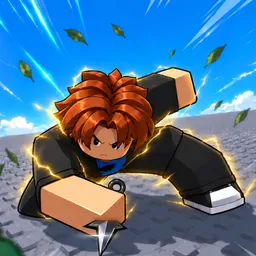
How to start: 5 quick steps
- Join a match: 1v1 Duels, Team Deathmatch or Free For All.
- Read the top of the screen: round timer and each team's score.
- Watch the cooldown numbers on the ability icons at the bottom.
- Use slot 1 (Flurry) and slot 2 (Heal) from the bottom right.
- Get a kill to reset your throw cooldown straight away.
On this page · 8 sections
Tap a step to tick it off. Your ticks stay in this browser.
Your progress 0 / 4
Step 1 · Start · 0:10
Read the loading tip
On screen: Loading tip
- The loading screen says: Every kill instantly resets your throw cooldown.
Step 2 · Match · 1:10
Read the match HUD
On screen: HUD
- The timer reads 1:41 here. The health bar shows 10 with a blue bar of 11 under it. Slot 1 is Flurry with a 21.5 cooldown and slot 2 is Heal.
Step 3 · Match · 2:10
Blue checkered arena
On screen: Blue arena
- A light checkered arena with blue ramps and orange crates. The player carries a pickaxe here and has full health (100).
Step 4 · Match · 3:10
Green map with pillars
On screen: Green map
- A green checkered map with dark pillars and low blocks to hide behind. Cooldown numbers 1.4 and 1.1 sit on two ability icons.
The numbers on your screen
| On screen | What it shows |
|---|---|
| Timer | Top centre, counting down (about 2:00 at the start of a round). |
| Team scores | Either side of the timer, with each team's icon. |
| Health bar | Bottom left, with a number. A blue bar with an hourglass sits under it. |
| Ability icons | Bottom centre. Red numbers on them are cooldowns. |
| Flurry and Heal | Bottom right, numbered 1 and 2. |
| Ping | Top right, with the server region. |
Buttons and keys
| Key | Does |
|---|---|
| 1 | Flurry slot |
| 2 | Heal slot |
| Q | Shield icon (the description says parry at the perfect moment) |
| CTRL | Labelled under a dash-style ability icon |
| V | Labelled under a weapon icon |
| U | FPP: switch to first person |
| B | Button next to the dance icon on the left |
| Phone | Round buttons on the right: dagger throw, shield, lock and target |
Tips
- Watch the red cooldown numbers before you throw.
- Use the low blocks and pillars on the green map as cover.
- A kill resets the throw cooldown, so chain kills.
- The game is still in development, so abilities and numbers may change.
Watch it
The steps above come from one 5-minute video, “TELEPORT DUELS (Roblox)..” by Gideonace. Each “Watch” button jumps to that moment. It is one player's session, so it doesn't show every mode or ability.
FAQ
How do you teleport in Teleport Duels?
The game description says you throw your dagger and teleport straight to your target. We didn't see the exact key in the footage.
What does Q do?
Q sits under a shield icon. The description says you parry at the perfect moment, but the footage doesn't show the parry itself.
What modes are there?
1v1 Duels, Team Deathmatch and Free For All.
Do kills reset the throw cooldown?
Yes. The loading tip says every kill instantly resets your throw cooldown.
How many players can join a server?
Up to 40.
Sources
- Gameplay video “TELEPORT DUELS (Roblox)..” by Gideonace (YouTube, 8 Nov 2026)
- Gameplay video by Dead Ronin (phone controls)
- The game's Roblox page and description