How to start: 6 quick steps
- Walk to the Map & Mode Station to pick a map and mode, or use Maps & Modes on the left.
- Switch weapons with the number keys: guns, a grenade, a knife and a medkit sit on the hotbar.
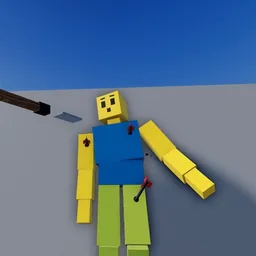
- Hold left click on a body to grab it, right click to throw it, and use the mouse wheel to bring it nearer or further.
- Press N for Doctor: Detailed to read a ragdoll's injuries and bleeding.
- In a mission such as Defend the House, keep the client alive and hold C next to them when they are injured.
- Pausing time needs the Sandbox Pack.
On this page · 9 sections
Tap a step to tick it off. Your ticks stay in this browser.
Your progress 0 / 7
Step 1 · Start · 0:13
Start at the Map & Mode Station
On screen: Map & Mode Station
- A glowing ring labelled Map & Mode Station is where you change map and mode. The left menu also has Maps & Modes and a gold Join Match button.
- The right menu lists Battle Pass, Doctor, Slow-Mo, Pause, Fly Cam and 1st Person.
Step 2 · Sandbox · 1:44
Ragdolls react and talk
On screen: Ragdoll reactions
- In the footage ragdoll people raise their hands and speak, for example the text above one reads I'll do anything!
Step 3 · Mission · 3:14
Start the Defend the House mission
On screen: Defend the House
- A banner at the top reads Defend the House · Robbers 0/12 with Go to them and hold C underneath.
- A red Client injured — save them! box counts down. Hold C next to the client to treat them.
Step 4 · Mission · 3:59
Clear the robbers in waves
On screen: Waves
- The banner counts robbers (2/12 here) and the wave (Wave 1/3) with the line Keep the client alive.
- The player fires a rifle at robbers inside the house. A bandage count sits next to the hotbar.
Step 5 · Sandbox · 7:44
Throw a grenade
On screen: Throwables
- Selecting the grenade draws a dotted arc that shows where it will land.
Step 6 · Sandbox · 8:26
Grab and throw bodies
On screen: Grab
- A hint under the body says: hold left click on a body to grab, right click throws, wheel: nearer or further.
Step 7 · Sandbox · 9:56
Read the Doctor panel
On screen: Doctor: Detailed
- Pressing N switches Doctor to Detailed. A panel shows the ragdoll's state, such as Badly hurt, and rows for Awake, Breathing and Bleeding.
- Below are Major injuries (for example Concussion, Head wound, Neck wound) and numbers for consciousness, blood, heart rate, spine, shock and fear.
The numbers on your screen
| On screen | What it shows |
|---|---|
| Cash | Bottom left, with the $ icon. It rises as you play. |
| Level bar | A purple bar under the hotbar that fills as you earn XP. |
| Hotbar | Slots 1 to 9 plus Grab: a pistol (labelled Chamber), long guns, a pump shotgun (labelled Pump), a grenade, a knife, a rock and a red medkit. |
| Combat tag | Top centre. Shows COMBAT ON or COMBAT OFF with a K key hint. |
| Body icon | Bottom right. A small figure that is green when healthy and turns orange and red when hurt. |
| Mission banner | Top centre in missions, for example Defend the House, Robbers 2/12, Wave 1/3, Keep the client alive. |
Controls
| Key | Does |
|---|---|
| Number keys 1 to 9 | Pick a hotbar slot |
| Left click (hold) on a body | Grab it |
| Right click | Throw what you hold |
| Mouse wheel | Move a grabbed body nearer or further |
| N | Doctor: Detailed (injury panel) |
| G | Slow-Mo |
| X | Pause |
| F | Fly Cam |
| V | 1st Person |
| K | Combat on or off |
| C (hold) | Treat an injured client in a mission |
Tips
- Hold C next to the injured client right away. The footage shows a Mission Failed screen that says The client wasn't treated in time.
- The Doctor panel is the quickest way to see what you did to a ragdoll: it lists injuries, blood left and heart rate.
- Use the grenade arc to aim before you throw.
- Another mission in the footage, Bomb Defused, ends with a Level Up banner.
- Slow-Mo and Pause sit in the right menu, but the game shows a message that pausing time needs the Sandbox Pack (Weapons menu + STORE).
Game passes
Prices from the game's Roblox store page. None are needed to finish the tutorial.
| Pass | Price |
|---|---|
| Sandbox Pack | 99 Robux |
| All Weapons | 99 Robux |
| Injury Effects Pack | 99 Robux |
| Guns Pack | 49 Robux |
| Physics Pack | 49 Robux |
| Melee Pack | 29 Robux |
| Throwables Pack | 29 Robux |
| Demolition Kit | 229 Robux |
| 2× Cash | 199 Robux |
| Vector | 129 Robux |
| All Attachments | 149 Robux |
| All Medical Gear | 99 Robux |
| All Armour | 129 Robux |
| Anti-Tank Class | 80 Robux |
| Infinite Ammo | 99 Robux |
| Nuke | 129 Robux |
Watch it
The steps above come from one 16-minute video: “I Tried This Roblox Ragdoll Game So You Don't Have To...” by Judge Holden. Each “Watch” button jumps to that moment. The video is one player's session, so it doesn't show every mode.
FAQ
How do I grab and throw a ragdoll?
Hold left click on a body to grab it, right click to throw, and use the mouse wheel to bring it nearer or further. The game shows this hint under the body.
What does the Doctor button do?
Pressing N switches Doctor to Detailed. A panel then lists the ragdoll's state, injuries, blood left, heart rate and more.
How do I pause or slow time?
Pause (X) and Slow-Mo (G) are in the right menu. The game says pausing time needs the Sandbox Pack.
What is Defend the House?
A mission with waves of robbers (Robbers x/12, Wave x/3). You keep the client alive and hold C next to them when they are injured.
Is there a code box?
We haven't seen one. See the codes page.
Sources
- Judge Holden, "I Tried This Roblox Ragdoll Game So You Don't Have To..." (YouTube, Nov 10, 2026): HUD, missions, Doctor panel and hints, read from the on-screen text.
- Roblox game page: description, game passes and prices (read Nov 15, 2026).