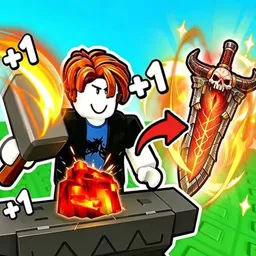
How to start: 5 quick steps
- Click and fight to gain power and collect ores (they show up in your Backpack on the Ore tab).
- Open the Forge and pick the Weapon or Armor tab for your ores.
- Put ores in the four input slots and read the Preview percentage for each gear type.
- Press Forge when the Forge button turns orange, then check your new gear in the Backpack.
- Use the Enchantment window to add runes to your gear.
On this page · 8 sections
Tap a step to tick it off. Your ticks stay in this browser.
Your progress 0 / 7
Step 1 · 3:20
Fight enemies and bosses
On screen: Beat the hordes
- The character stands in a red circle while a boss called Tophat Ghost shows two health bars and damage numbers fly up.
- A banner in this clip read Unable to return.
- The chest counter reads 7/24.
Step 2 · 4:50
Check your ores in the Backpack
On screen: Ore tab
- The Backpack has five tabs: Weapon, Helmet, Armor, Ore and Material.
- The Ore tab shows stacks such as The Apex, Panic-Core, Bussin-Ice, Magmacore, Rust-Sludge and Toxium with counts like x2, x8, x9 and x12, plus a price and Multi value for the selected ore.
Step 3 · 5:35
Open the Forge and put ores in
On screen: Fill the input slots
- The Forge window has a Preview grid, four input slots, a Forge button and your ores on the right with Weapon and Armor tabs.
- With only one ore in the first slot (Multiplier 60) the game said: You need to input at least 4 ores.
Step 4 · 7:05
Read the Preview percentage
On screen: Katana: 100%
- The Preview header shows the chance of each gear type for your ores: here Katana: 100%, and the whole weapon grid is filled in.
- On the Armor tab a different clip showed Light Armor: 40% and Heavy Helmet: 0%.
Step 5 · 9:20
Enchant your gear
On screen: Enchantment window
- The Enchantment window shows a helmet (Hex-Weave Phantom, Enhance +7) and a Poison Rune II card marked Rare.
- The rune reads: 4% chance on hit, deals 0.5% ATK every 0.2s for 2.8s.
Step 6 · 10:05
Try another mix
On screen: Greatsword: 65%
- With three ores in (Toxium, Glac-Dox and Yeti-Claw) the Preview read Greatsword: 65%, the Multiplier 85.4 and the Forge button turned orange.
Step 7 · 10:50
Back to the hub
On screen: Rebirth and Index
- The hub keeps Shop, Backpack, Index and Rebirth on the left. Rebirth showed a percentage badge (81%) in this clip.
What the screen shows
| Where | What it shows |
|---|---|
| Left side | Four big buttons: Shop, Backpack, Index and Rebirth |
| Bottom left | A chest counter (0/24 and 7/24 in the footage), your coin total (110.39M) and a red counter (21) |
| Bottom centre | A health bar (100/100), a damage readout and a level bar (Lv.357 with 246.93T/5.3Qa) |
| Top right | Small round buttons and a Skill Index label; a gift button below reads Online |
| In a fight | Boss health bars (Tophat Ghost) and floating damage numbers |
Controls (PC)
| Key | Does |
|---|
Beginner tips
- Read the Preview percentage before you press Forge: it tells you whether the ores make a weapon or armour, and how likely each type is.
- The Forge button is grey with nothing valid in the slots and turns orange when the input works.
- The Multiplier number changes with the ores you pick (60, 85.4 and 114 in different clips).
- Codes go in the Shop, in the Code section. See the codes page for the current list.
- We haven't confirmed what Rebirth and Index do beyond their buttons, so we don't describe them.
Watch it
The steps above come from one 11-minute video: “How I FORGE The BEST WEAPONS Guide In Roblox +1 Loot To Forge” by Sushiwi (uploaded Oct 4, 2026). The first minutes of that video are not shown here. Each “Watch” button jumps to that moment.
FAQ
How does the Forge work in +1 Loot To Forge?
Open the Forge, put ores into the four input slots and read the Preview header, which shows the chance of each gear type (for example Katana: 100%). When the Forge button turns orange, press it.
Why does it say You need to input at least 4 ores?
That message showed in the footage with only one ore stack in the first slot. Add more ores until the Forge button turns orange.
What does enchanting do?
The Enchantment window adds runes to gear. One example in the footage was a Poison Rune II (Rare): 4% chance on hit, deals 0.5% ATK every 0.2s for 2.8s.
Where do I enter codes?
In the Shop, in the Code section. See the codes page for the list.
How many players can join?
The Roblox page lists up to 8 per server.
Sources
- Roblox game page for +1 Loot To Forge: description and player count (checked Nov 15, 2026)
- Player video “How I FORGE The BEST WEAPONS Guide” by Sushiwi (Oct 4, 2026)
- Player video “+1 Loot To Forge Roblox Tips from Beginners to Pro Fast” by Ricoko Tutorial & Showcase (Sep 20, 2026)