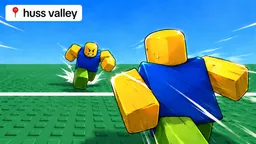
How to start: 6 quick steps
- Runners: read the top line (RUN! Reach the opposite safe side!) and get across without being caught.
- Press Space to dash right after you change direction, not before.
- Keep at least 3 to 4 blocks away from the Chaser; dash only when it is within about 2 blocks, and away from it.
- Use sharp turns to bait a Chaser who is rushing you.
- Chasers: let runners come to you, bait their dash first, then attack from the side or behind.
- Open the menu, pick one Runner and one Chaser ability on the Abilities tab, and use a low-ping connection.
On this page · 9 sections
Tap a step to tick it off. Your ticks stay in this browser.
Your progress 0 / 7
Step 1 · 0:00
Know the two roles
On screen: RUN! Reach the opposite safe side!
- There are two roles: runners and Chasers. A runner's job is to reach the opposite safe side; if you get caught you become a Chaser as well.
Step 2 · 0:20
Dash right after you change direction
On screen: PRESS SPACE TO DASH
- Whenever you change direction, press Space at once to dash. It works sideways, forward, back or a mix.
- Acceleration and dashing are connected: the player says that if you are slow you barely move, and if you are fast you dash three to four blocks.
Step 3 · 1:00
Runner rule 1: keep your distance
On screen: RUN! Reach the opposite safe side!
- Find a spot away from the Chaser and try not to draw attention.
- Stay at least three to four blocks away, never walk toward the Chaser, and use your dash early only if you have to.
Step 4 · 1:50
Runner rule 2: dash only when you must
On screen: PRESS SPACE TO DASH
- Save the dash for when the Chaser is within about two blocks or is about to dash at you.
- The player says a dash makes you immune to slashes for about a second. Always dash away from the Chaser, never toward it.
Step 6 · 3:00
As a Chaser: stay passive and bait the dash
On screen: Chaser role (not shown in this video's footage)
- Let the runner come to you and stand like a goalkeeper; playing aggressively gets you baited by their dashes.
- Bait their dash: click first, and when they dash, dash toward them while they have lost their momentum.
- Use blind spots: go to a runner's side or back and wait until they dash, so they run into you.
Step 7 · 4:40
Advanced tips
On screen: DASH READY
- Lower ping matters: the player recommends 80 ms or below, using a VPN or a free app like 1.1.1.1.
- Use ability items such as an invisible cloak, boosters or a clone to survive late rounds.
- Pressing Alt stops your movement instantly, which the player says helps to juke a Chaser; and change your pattern so you are not predictable.
What the screen shows
| Where | What it shows |
|---|---|
| Top of the screen | Round messages such as RUN! Reach the opposite safe side! or KTG chose HERO — cross alone! |
| Top right | The card of the item or ability you hold (Cloak, Emergency Airhorn, One Hit Shield and so on) |
| Bottom left | A coin counter and a gem counter |
| Bottom centre | Press Space to Dash, a Dash Ready bar and the hint Turn + press to dodge |
Controls
| Key | Does |
|---|---|
| Menu · Abilities tab | Select 1 Runner and 1 Chaser ability (permanent unlocks, no charges; table above) |
| Space | Dash |
| Alt | Stops your movement instantly (the player's trick) |
| Turn + dash | Dodge; the in-game hint says Turn + press to dodge |
Abilities in the menu
Open the menu and go to the Abilities tab: it says Select 1 Runner and 1 Chaser Ability, and every card is a permanent unlock with no charges. Text read from the cards in KTG Gaming's video; only the two Chaser cards had a readable price in the footage.
| Ability | What the card says |
|---|---|
| Cloak (Runner) | Disappear for 3 seconds. You can still be hit. Using an item ends the cloak. Players near you can see you a little. |
| Emergency Airhorn (Runner) | Blast nearby chasers backward in every direction. |
| Inflatable Decoy (Runner) | Send an inflatable copy running straight ahead for 7 seconds. It pops when caught. |
| Pocket Door (Runner) | Slam a temporary door in front of you. Chasers smash through or go around. Lasts 6 seconds. |
| Rocket Shoes (Chaser) | Dash in your movement direction, or camera-forward while standing still. 1,300 gems or 840 coins. |
| Big Dagger (Chaser) | Double your melee reach for your next hit. Expires after 5 seconds. 1,125 gems or 720 coins. |
Beginner tips
- Dash right after a turn, and away from the Chaser, never toward it.
- Don't chase as a Chaser; stand your ground and make the runner commit to a dash first.
- Check your ping: the player says you are in trouble above about 80 ms.
- Redeem the codes on our codes page first; Gems and Coins pay for the ability cards.
Watch it
The steps come from one 8-minute video: “HUSS VALLEY PRO GUIDE!” by Chrisu (uploaded Oct 7, 2026). Each “Watch” button jumps to that moment. The player calls the Chaser a “catcher”; the game's cards say Chaser, so this page uses that word. Distances and the dash tips are his advice, not official numbers, and the ability cards come from KTG Gaming's footage.
FAQ
How do you dash in Huss Valley?
Press Space right after you change direction. The bottom of the screen shows Press Space to Dash and a Dash Ready bar.
How far should I stay from the Chaser?
The player in our source video says at least three to four blocks, and to dash only when the Chaser is about two blocks away.
How do abilities work?
On the Abilities tab you select one Runner and one Chaser ability. They are permanent unlocks that cost gems or coins.
How do I catch runners as a Chaser?
Stay passive, bait their dash before you dash, and attack from their side or back.
Is this the same game as Escape Huss Valley?
No. Escape Huss Valley and the other Huss games are different Roblox games.
Sources
- Chrisu, “HUSS VALLEY PRO GUIDE!” (Oct 7, 2026): captions and footage read Nov 15, 2026
- KTG Gaming, “Testing EVERY ABILITY in Roblox Huss Valley!” (Oct 16, 2026): ability cards and HUD read from the footage Nov 15, 2026
- Roblox game page for Huss Valley: description and statistics (checked Nov 15, 2026)