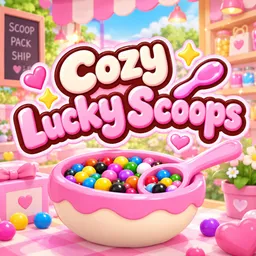
What's new in Cozy Lucky Scoop Order
Developer's last Roblox update: Nov 7, 2026 (5 days ago)
- Nov 9, 2026 · Page added. Roblox shows the game was last updated Nov 7, 2026 and it is still in BETA.
We check the game page, pass list and player videos every day and log what changed.

Watch a real run first: “Roblox Cozy Lucky Scoop Order” by Nox on YouTube (30:03).
Cozy Lucky Scoop Order gameplay screenshots
Frames from real player videos, cropped and labeled by us. Tap one to enlarge. Each caption says which video and minute it comes from.
Cozy Lucky Scoop Order: full overview
What Cozy Lucky Scoop Order is
Cozy Lucky Scoop Order is a Roblox shop game from Sakura Game Studios, a Roblox group. It was created on 19 October 2026 and is listed as a Simulation / Incremental Simulator. Roblox shows it as still in BETA, and the description says more updates are coming and asks players to share ideas with the in-game feedback button.
The description sums up the loop in one line: scoop colorful surprises, collect products, pack orders and ship them. Around that, you can customize your shop and your garden, discover mini gifts and daily rewards, and play solo or with up to 3 friends. The in-game welcome text calls it Cozy Lucky Scoops, which is why some players search for it as Lucky Scoop Order.
How an order works (from the footage)
Everything below comes from a 30 minute playthrough by Nox (published Nov 7, 2026) that we watched frame by frame. A tutorial with 9 steps runs when you start. In it, a hint says each marble color is one kind of product: you click a marble, then its color on a color board. You scoop marbles from a bowl with a spoon and drag them onto a tray, and the board hint says to arrange the marbles to match the request.
Each customer order shows up as a Product list with an order number, the number of servings, the customer's name and sometimes a note such as a request for a color. The list is split by category and counts each one while you work, for example Building Blocks 3/7 or Squishies & Toys 3/3. When a category is complete a green tick and a notice like 3 products placed appear.
Products and categories
The categories we saw on the lists are Key Charms, Books & Pens, Hair Accessories, Cosmetics, Squishies & Toys, Plush, Surprise Box, Building Blocks and Special, plus a Freebie line that pays an extra $20. Some lines in the list show as ??? instead of a name.
In the shop you walk to the shelves and pick products yourself: a wall of key charms on a pegboard, boxed building sets, backpacks, squishy mushroom and ghost toys, shaving sets and more. A label at the bottom names what you are pointing at and may say it matches a customer's wish or does not match any color preference. The footage also shows the prompts Set aside (click), Turn over (F), and Press C to unlock the cursor.
Packing and shipping
After you collect the products you carry them to the storage table (a tip says when your hands are full, follow the arrows and press E to put everything down) and open a box. The footage shows two sizes, Box: M and Box: XL. Packing is a top-down view with a step bar. In Nox's video the Tissue paper pattern is Step 1 of 5, with patterns such as Stars, Paper Plane, Dots, Clouds, Pumpkins, Little Ghosts, Little Bow, Bats, Gingham and Stripes in several plain colors, and a filler picker appears in a Step 2 of 4 panel.
The bottom bar lists the packing keys on PC: click to pick up or put down, R to rotate, T to stand up or lay down, P to unpack, F for filler, right-click to put back and E to wrap. You can also stack items by placing them on top of other products.
Coins, VIP and badges
A coin counter sits at the top right next to a VIP button. In Nox's run it climbs from 250 at the start to 5,774 by the end of the video as orders ship. We did not find a game pass price through Roblox's public API, so we don't list any.
The game has 9 badges, all for shipped orders: your first order, then 10, 25, 50, 100, 250, 500, 750 and 1,000 orders. Roblox's API returns the badge names in German (for example Erste Bestellung for the first order). Per Roblox's own counters, about 898,000 badges for the first order had been awarded by Nov 9, but only 3 players had reached 250 orders and 1 had reached 500, and nobody had 750 or 1,000 yet.
Codes
The game description doesn't mention codes, and no one seems to be searching for them yet. We check the description every day. If a code box or a code is announced by the developer, we will add a codes page with the date we checked. Until then, ignore sites that list codes for Lucky Scoop games, because they are often a different game.
Live stats
7,525
Playing now
Playing now
- What
- People in the game right now
- Example
- 7,525 = about 7.5K players
- Read it
- Bigger = more popular. Refreshes every 5 minutes.
8.25M
Visits
Visits
- What
- Times the game has been opened since launch
- Example
- 8.25M visits
- Read it
- Shows how big the game is.
61.5K
Favorites
Favorites
- What
- Players who favorited the game on Roblox
- Example
- 61,516 players
- Read it
- More = people want to come back.
91.4%
Liked
Liked
- What
- Likes ÷ (likes + dislikes)
- Example
- 9,659 likes, 913 dislikes → 91.4%
- Read it
- Above 80% means players like it.
Numbers from Roblox, refreshed every 5 minutes.
Guides
Player count trend
Screenshots
What is Cozy Lucky Scoop Order?
A cozy shop game. You scoop colorful surprises, collect products from the shelves, pack each customer's order into a box and ship it. You can customize your shop and garden, find mini gifts and daily rewards, and play solo or with up to 3 friends. The game is still in BETA and the developer asks for ideas through the in-game feedback button.
Cozy Lucky Scoop Order FAQ
What is Cozy Lucky Scoop Order?
A cozy shop game. You scoop colorful surprises, collect products from the shelves, pack each customer's order into a box and ship it.
Who made Cozy Lucky Scoop Order?
Cozy Lucky Scoop Order is made by Sakura Game Studios and was released on Roblox on Oct 19, 2026.
How many people play Cozy Lucky Scoop Order?
7,525 players were in Cozy Lucky Scoop Order when we last pulled Roblox's numbers (Nov 12, 2026). It has 8.25M visits in total and 91.4% of votes are likes.
More gameplay videos
Other players' Cozy Lucky Scoop Order videos on YouTube. Tap one to watch here.
 18:36(1-2) first two orders! (Roblox) - cozy lucky scoop order!Pinkpurlgirl
 12:55(2 more orders!) - cozy lucky scoop order (roblox)Pinkpurlgirl
 14:53Roblox Experience 🍦Cozy Lucky Scoop OrderBySakura Game Studios Basic Overview [0 Robux]MBT
 14:03🍭 Welcome to Cozy Lucky Scoops! 💗🛍️🍦 Cozy Lucky Scoop Order𝘽𝙖𝙙𝙙𝙞𝙚 𝕏 𝙂𝙖𝙢𝙚𝙥𝙡𝙖𝙮𝙨