How to start: 6 quick steps
- Open the APEX Motor House dealership and pick a car (press B for the shop, U for the garage).
- Drive with W and S for throttle and brake, A and D to steer, Space for the handbrake.
- Press H any time to show or hide the Controls panel.
- Drift with G to build the Skill Chain counter.
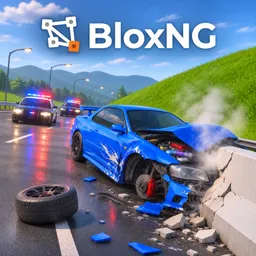
- Crash and watch the damage panel; press R on foot to bring your car back.
- Follow the Drive to the Crash Zone objective when it appears.
On this page · 9 sections
Tap a step to tick it off. Your ticks stay in this browser.
Your progress 0 / 6
Step 1 · 4:20
Pick a car at APEX Motor House
On screen: Dealership screen
- The dealership has ALL, OWNED and FOR SALE tabs and class filters: Hypercar, Formula, Performance, Muscle, Utility, Track, Supercar, Luxury, JDM and Everyday.
- Each card shows power, 0-60, top speed and weight. The Ventara GP26 reads 1000 HP, 2.4 s, 211 MPH and 800 kg, tagged F1 Game Pass at 599.
- Buy It and View in 3D buttons sit under the stats, with a 10-minute test drive option.
Step 2 · 5:30
Drive and read the HUD
On screen: Tunnel driving
- The Controls panel lists every key; the speedometer shows gear and MPH (112 in this clip).
- Cash climbs as you drive: $19,181 here, up from $16,578 in the dealership.
Step 3 · 6:40
Watch for police and damage
On screen: Officers on foot
- After a crash the damage panel shows FRONT-RIGHT as LOST and the engine as SEIZED.
- A banner reads OFFICERS ON FOOT: they're coming for you, with police cars on the road.
This frame is mid-crossfade in the video, so we didn't make a screenshot of it.
Step 4 · 7:50
Drift for the Skill Chain
On screen: Skill Chain counter
- A Skill Chain counter at the top reads Drift 67 at x1.0.
- In the tunnel clip the counter read 1,650 x1.8 with the note Great Speed.
Step 5 · 9:00
Drive to the Crash Zone
On screen: Mission HUD
- A mission HUD shows a progress percentage and a timer with the objective Drive to the Crash Zone.
- A hint at the bottom says to press R to bring your car or buy one at the APEX dealership.
Step 6 · 10:00
Under the gantry
On screen: Crash Zone approach
- On the way the pickup drives under a tall yellow-and-black gantry; progress still reads 0% at that point.
What the screen shows
| Where | What it shows |
|---|---|
| Top right | Your cash balance (it rose from $16,578 in the dealership to $41,890 later in the footage) and the Controls panel |
| Left | Three small buttons: cart (key B), garage (key U) and settings cog (key O), with a minimap and a north marker under them |
| Bottom right | A round speedometer with gear, rpm and an MPH readout, two small gauges (a °C reading and a percentage) and three padlocked slots on L, Shift and Ctrl |
| Top left (crash) | A car diagram with damage lines such as FRONT-RIGHT LOST and ENGINE SEIZED |
| Top centre | A Skill Chain counter (1,650 x1.8, Drift 67 x1.0) and, in one clip, a bounty counter |
Keys (from the in-game Controls panel)
| Key | Does |
|---|---|
| W / S | Throttle and brake (hold S to reverse) |
| A / D | Steer |
| Space | Handbrake |
| I | Engine start / stop |
| Z | Gearbox auto / manual |
| E / Q | Shift up / down (manual gearbox) |
| R | Repair; on foot it brings your car |
| T | Respawn back to the start |
| F / E | Get out / get in |
| X | Cockpit / chase view |
| G | Drift mode on / off |
| M | Map, or click the radar |
| H | Show or hide the Controls panel |
Beginner tips
- Press H if the Controls panel is in your way.
- On foot, press R to bring your car back, and T to respawn at the start.
- Hold S to reverse, and use Z for a manual gearbox if you want E / Q shifting.
- The description says speed, angle and weight shape every crash, so a hit at speed breaks more.
- The three ability slots are padlocked in the footage, so they unlock somehow; we haven't seen how.
- The game is in beta, per its description, so keys and prices may change.
Game passes
Prices from the game's Roblox store page. None are needed to finish the tutorial.
| Pass | Price |
|---|---|
| F1 Game Pass (Ventara GP26) | 599 Robux |
| Supercar Pack | 1299 Robux |
Watch it
The steps above come from one 11-minute overview: “BloxNG [CRASH PHYSICS] Basic Overview” by MBT (uploaded Nov 13, 2026). Each “Watch” button jumps to that moment. The first minutes show the Roblox page, so the steps start at the dealership.
FAQ
What are the controls in BloxNG?
W and S for throttle and brake, A and D to steer, Space for the handbrake, I to start or stop the engine, G for drift mode, X to change view, R to repair or bring your car, T to respawn and M for the map. Press H to show the Controls panel.
Is BloxNG still in beta?
Yes. The game description says the game is in beta.
Does it have codes?
We couldn't find any. See the codes page for what we checked.
How many players can join?
The Roblox page lists 10 per server.
Sources
- Roblox game page for BloxNG: description (checked Nov 15, 2026)
- Player video “BloxNG [CRASH PHYSICS] Basic Overview” by MBT (Nov 13, 2026)