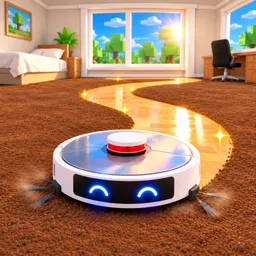
How to start: 7 quick steps
- Drive over the dirty patches; coins and a +$ number pop up as you clean.
- Watch the Container bar at the bottom; at full it says "FULL! GO TO THE DOCK".
- Return to the dock to empty the container and collect the cash.
- Open Upgrades (the hammer icon on the right) and buy Container, Speed, Suction or Combo.
- Clean each room to 100% (the bar at the top shows Kids Room, Hallway, Bathroom and more).
- Pick up the bonus cash when a mess event pops up, such as x4 cash in a room.
- Finish the whole house, then open Houses to unlock the next one.
On this page · 8 sections
Tap a step to tick it off. Your ticks stay in this browser.
Your progress 0 / 7
Step 1 · Start
Open the Upgrades menu
On screen: UPGRADES
- Four upgrades are listed: Container ("More dust per trip"), Speed ("Drive faster (max. 30)"), Suction ("More cash and stronger scrubbing") and Combo ("Higher combo when vacuuming nonstop").
- Prices in this frame: $116, $68, $260 and $480. Buttons you can afford are green, the rest are grey.
Step 2 · Room 1
Clean the room
On screen: Clean the whole Kids Room!
- Drive over the dark dirt patches. Coins fly out and a +$76 number shows.
- The Container bar at the bottom starts at 1/422; the room's own bar at the top reads 35% here.
Step 3 · Room 1
Watch for mess events
On screen: The dog was in the garden!
- A warning pops up with a red timer bar, for example "The dog was in the garden! x4 cash in Living Room".
- In another frame the banner says "Flower pot knocked over! x3 cash in Living Room" and a big x3 CASH tag shows.
- The video doesn't show what happens if you miss it; the text says extra cash in the named room.
Step 4 · Room 1
Empty the container at the dock
On screen: Empty your container at the dock!
- When the bar fills (422 / 422) it turns red and says "FULL! GO TO THE DOCK" with the cash you will get ($1.11K here).
- Arrows on the floor lead to the dock.
Step 5 · House 1
Move through the rooms
On screen: Bathroom
- The top bar shows the current room and its percentage (Hallway 16%, Bathroom 22%, Living Room 5% in different frames).
- A Sell Now button appears beside a full container.
Step 6 · House 1
Spend the cash again
On screen: UPGRADES
- Later in the video the same menu shows higher prices: $705, $113, $286 and $330.
- Combo shows a red "Need $217 more" tag when you can't afford it.
Step 7 · House 1 done
Unlock the next house
On screen: HOUSES
- The Houses menu lists Apartment (x1 cash per spot, "YOU ARE HERE"), Family House (x3 cash per spot), Beach House (x5) and Mountain Chalet, which is locked.
- The Family House shows a "CLEAN THIS HOUSE" button and an "UNLOCK NOW" button with a price.
The bars on your screen
| Bar | What it means |
|---|---|
| Container (top of bar) | Starts at 422 dust in the video, then 603, 1.02K, 1.33K and 2.92K as the Container upgrade is bought |
| Cash per spot | $0.91 per spot at the start of the video, $1.24 per spot later |
| House progress | "APARTMENT · 0/6 ROOMS CLEAN" at the top, with one bar per room |
| Friends bonus | "FRIENDS +10%" badge on the left (the description says +10% for each friend) |
| Speed cap | The Speed upgrade says "Drive faster (max. 30)" |
Controls (PC)
| Key | Does |
|---|---|
| Upgrades (hammer icon, right) | Container, Speed, Suction and Combo |
| Houses (house icon, right) | List of houses with a cash multiplier and lock state |
| Rebirth (star icon, right) | Rebirth menu (the video didn't open it) |
| Shop / Bonus / Quests / Robots (left) | Four icons stacked on the left edge |
| CLAIM GIFT | Timer button on the left that reads CLAIM GIFT when a gift is ready |
| Sell Now | Button next to a full container (the video shows a price on it) |
| Skip House | Rainbow button at the top with a price on it |
Survival tips
- Empty the container before it hits full so you don't waste a trip; the bar turns red and tells you when it's time.
- Check the top banner for mess events: the text names the room that pays more.
- Buy upgrades in the order that stops your container filling too fast; the video starts with Container, Speed and Suction.
- Play with friends: the description says +10% cash for each friend in your server.
- Finish all rooms to 100%; the description says your progress is saved and a finished house unlocks the next.
Watch it
Every step above comes from one 11-minute playthrough: “Cleaning House 1 of 30! | Roblox Be a Cleaning Robot (Part 1)” by Gausblox. Each “Watch” button jumps straight to that step.
FAQ
How do I make money in Be a Cleaning Robot?
Clean dirt until the container is full, then empty it at the dock to be paid. Mess events add extra cash in a named room (x3 or x4 in the frames we saw), and friends in your server add +10% each per the description.
What do the upgrades do?
Per the in-game text: Container gives more dust per trip, Speed drives faster (max. 30), Suction gives more cash and stronger scrubbing, and Combo gives a higher combo when vacuuming nonstop.
How do I unlock new houses?
Finish cleaning a whole house. The description says that unlocks the next, bigger one; the Houses menu lists the cash multiplier for each (x1, x3, x5 in the first rows).
How many houses are there?
The description says 30 places, from a small apartment to a castle, a cruise ship, a space station and the Galaxy Mall.
Are there codes?
None that we could confirm. See the codes page.
How many players can join a server?
Up to 10.
Sources
- Gausblox, "Cleaning House 1 of 30! Roblox Be a Cleaning Robot (Part 1)" (YouTube): upgrades menu, room progress, mess events, dock and Houses menu, read from the on-screen text.
- Roblox game page: description, player count and release date.